The post Tips To Use Animation In E-Learning Courses appeared first on Test.Evelyn.
]]>E-Learning is extremely beneficial because it is more immersive and allows for the presentation of knowledge in motion. It may also assist learners in easily comprehending and remembering challenging subject matters.
Animation has the ability to inspire one’s imagination and take them to fantastical realms, from favorite Disney characters to breathtaking Anime works of art. It does, however, have a much more practical use. In reality, animations can be a useful e-learning tool for creating an emotional bond with online learners and getting them excited about the e-learning process. The use of animation in e-learning is becoming increasingly common. Using a random animated video, on the other hand, does not work and will harm an online course. Spend a few minutes here before taking some action to learn how to properly use animation in e-learning.
-

Benefits of Using Animation in E-Learning
The variety of ways in which we can use animation in various situations will astound you. Let’s look at some of the advantages of using animation in an e-learning module:
1. Animation is Fun to Watch.
Engaging the learner is one of the most important objectives of any training material, module, or course. Without commitment, it’s unlikely that the learner can grasp the material or acquire the necessary new skills. As a result, it’s critical to include such content in e-learning courses that boosts interaction. This is something that animations can help one with. Rather than reading a page or two of text, most people would rather watch a cartoon.
2. Students are Often Familiar with Seeing Animations.
Animations would be familiar to the students who complete an e-learning course. They come across them on social media, the internet, when shopping, and in the content they consume, among other places. This familiarity eradicates barriers between the learner and the course material, allowing them to become more engaged in the course.
3. Encourages a Constructive Outlook on Future Preparation.
The students would be more interested and able to learn new ideas in the future if they know their training is engaging. The use of animation enhances the overall learning experience.
4. The Best Way to simplify Complicated Information
This is one of the most important advantages of animation in general, and it definitely extends to e-learning. Sounds, speech, on-screen text, static pictures, graphs, moving images, and calls to action are all easily includible in a single animation. This enables one to concisely and clearly describe even the most complex of subjects to learners.
5. It’s Useful for Quickly Explaining Information and Ideas.
Following up on the previous point, the various elements present in an animation help learners grasp details more quickly than many other types of content presentation.
6. Highly Effective at Establishing a Tone
When compared to other types of material, adding animation to your e-learning course makes it much easier to set the right tone. It is difficult, for example, to encourage learners to adopt a new idea, motivate them to improve their performance, or persuade them to change their behavior using text or an image. This is much easier with animation, especially when it comes to sounds and voice overs.
In e-learning animations can bring complicated or boring topics to life, enriching the learning experience. Most importantly, they aid in improving training course outcomes. To put it another way, animations will assist one in achieving their goals and thereby have a positive return on investment. They are a strong teaching tool, even though they aren’t appropriate for all e-learning modules.
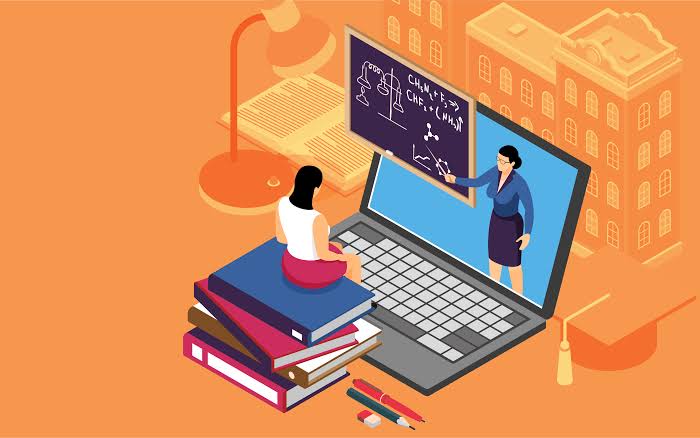
- Tips for Including Animation in E-Learning
Tips for Using Animation in E-Learning
While animation is one of the best practices in e-learning, one must use it correctly in order for training to be successful. So, here are few pointers to keep in mind in order to have a better learning experience.
1. Select Elements that Elicit the Appropriate Emotion.
In e-learning, animations are only successful if they express the appropriate emotion or sound. A lighthearted e-learning animation won’t convey the seriousness of the situation if a writer is dealing with serious subject matter, such as bio-hazards or hazardous equipment. Instead, they should use a more intense and convincing cartoon, such as an animated e-learning character that demonstrates the cleaning process and instructs them on how to put on the proper safety equipment. It’s crucial to remember that every aspect of an e-learning animation will affect its mood, from the background music and sound effects to the e-learning script. As a result, all of these elements must be in sync with the objectives and relate to the emotional environment.
2. Use Animation in a Consistent Manner.
It’s important to use animation consistently in order to maximize training effectiveness. This aids in the creation of an easy-to-understand course while also preventing learners from becoming distracted from their learning objectives. Besides that, one should pay the same attention to their animation as they do to their online training’s complementary color scheme and fonts. This will aid in the promotion of continuity, resulting in a stronger learning experience.
3. At a Time, Concentrate on just One E-Learning Character or Subject.
Since educators don’t have any restrictions for e-learning animations, they can quickly become messy or confusing. With the right animation method, one can construct virtually any e-learning character, scenario, or environment; however, they should concentrate on one e-learning character or subject at a time. Don’t include facts or e-learning characters that aren’t important to the situation, such as giving your protagonist’s backstory or referring to secondary e-learning characters who aren’t involved. Additionally, one must limit the number of moving images or graphics in their e-learning animation. Busy screens can only confuse online students and divert their attention away from the main point.
4. Give the Students the Ability to Monitor the Animation Video.
Giving the learners the ability to monitor or pause and play an animation video at any time will help improve training effectiveness. Without a doubt, not all students will be able to sit through the animation video presentation in order to achieve the learning objectives. Some of them may be busy with their jobs and have only a small amount of time to devote to the course. As a result, allowing them to monitor the animation if a distraction occurs will help them achieve the learning objectives. Also, at the start of the online training, make sure you give them specific instructions on how to control the animation video.
5. Try to use Audio and Visuals Together.
If educators don’t use audio, such as background music or narration, even the most entrancing and convincing visuals would fall short. Audio has the ability to immerse online learners in an emotional ambiance. It also clarifies any misunderstandings regarding the e-learning animation. An audio narration, for instance, may explain why an e-learning character is responding the way they are or describe their inner thought process. Also keep in mind that some of the online students can speak English as a second language or have hearing difficulties. As a result, they’ll need text, such as captions or subtitles, to help them remember what they’ve learned.
6. Allow Students to Take a Breather.
Many of the online students would not have the time to watch the entire animated online presentation or e-learning operation. This is particularly true for on-the-job e-learning learners. As a result, educators make it simple for them to pause, rewind, or quick forward the e-learning animation at any time. If they get distracted, they may easily press the pause button and resume when they have more time. Also, at the start of the e-learning animation, they can include specific instructions about how to use the playback control buttons so that there is no misunderstanding.
Final Thoughts
There are no specific guidelines for how to use animation in e-learning. These guidelines include an overview of the benefits of video styles and how to incorporate them into your course. Furthermore, you could mix and match multiple styles to get the best of each. Animations will improve the interactivity, engagement, and emotional focus of your eLearning course. Animation in e-learning will assist you in creating an entertaining and immersive online training that matters. To maximise the efficacy of your learning, follow the tips mentioned above!
Image Sources: Shutterstock and Freepik
For more information on Animation in e-learning, visit our blog.
Create. Engage. Inspire.
The post Tips To Use Animation In E-Learning Courses appeared first on Test.Evelyn.
]]>The post Animation in eLearning: An Introduction appeared first on Test.Evelyn.
]]>This article explores the various uses of animation in eLearning and measures its effectiveness.
What is eLearning Animation?
In simple terms, sequential capturing of images, including drawings and pictures of inanimate objects, is considered to be animation. Animation occurs when the images are played in rapid succession to mimic real-world motions.
In education, the term ‘Animation’ may refer to any image used for teaching and learning. However, educational animation can either be simple or complex. The complexity entirely depends upon the type of educational material. For instance, moving an arrow on the screen is simpler than producing a cartoon.
Educators produce different types of study material with the help of animation. This study material is available on the Internet for learners all around the world. It is easily accessible and does not require learners to travel to a specific classroom to learn. Different eLearning courses offer the knowledge of various concepts with the help of animation. It entails that educators can deliver lessons on complex topics more effectively through visual animation. Also, such interactive courses work better at engaging learners. Consequently, it creates an impact on the learners and promotes learning and retention.
Types of Animation in eLearning
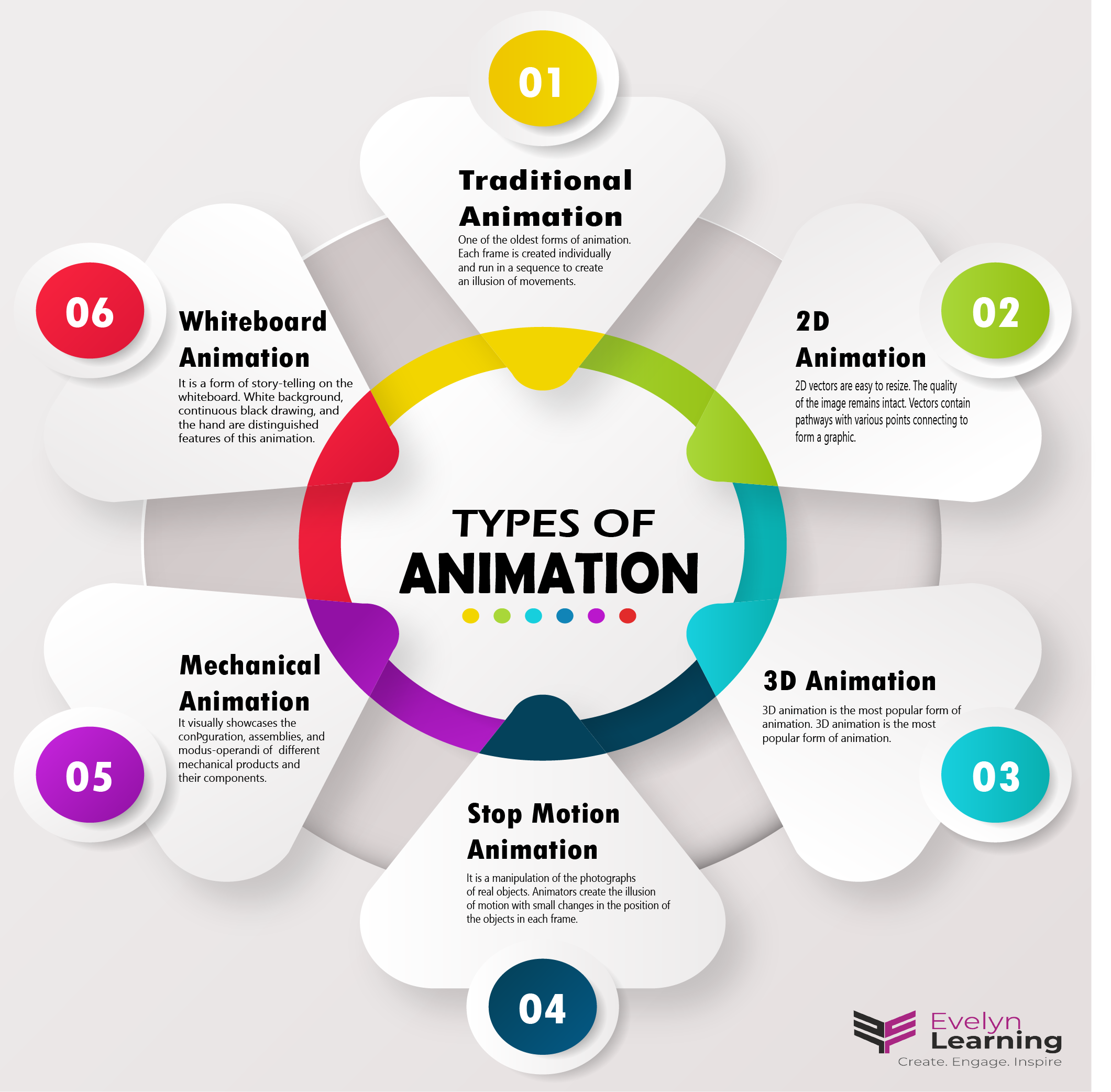
Although animation is an umbrella term for adding movement to images, it has many different types.
- Traditional Animation: This is one of the oldest forms of animation. Each frame is created individually and runs in a sequence to create an illusion of movements. Animators used to draw on an illuminated table with the previous animation kept below it. Although this method was precise, it was costly and time-consuming.
- 2D Vector Animation: This type of animation is a modification to traditional animation. Unlike the JPEG, GIF, BMP formats in traditional animation, 2D vectors are easy to resize. As a result, the quality of the image remains intact. Vectors contain pathways with various points connecting to form a graphic. Ergo, different convertible shapes form a character or another image. Moreover, there is no need for manual drawing as this type of animation uses software to create animation.
- 3D Animation: Currently, 3D animation is the most popular form of animation. Its creation entirely depends on the knowledge and use of computers. Although it completely depends on technology, the process is still complex. This type of animation uses digital frames to put characters in the right position. The animators adjust and tweak the curvatures to set the movements of the characters. However, the creation of 3D animation also requires a storyboard.
- Stop Motion: Stop motion graphics, also known as claymation, is a manipulation of the photographs of real objects. It is somewhat similar to the traditional animation and the flipbook style. However, it has physical objects in place of photographs. Animators create the illusion of motion with small changes in the position of the objects in each frame. Similar to traditional animation, creating stop motion graphics is a time-consuming and costly method.
Why Choose Animation?
Animation adds a spark of creativity to learning. It is a valuable tool that helps to ignite learners’ interest. A simple PowerPoint presentation is also animation. There are numerous reasons for choosing animation as a method to deliver e-lessons. The first and the most important function of animation is that it grabs the attention of the learners. With the Internet serving the entire world at the click of a button, gathering information has become easier than ever before. However, on the downside, the attention span of learners has downgraded. The use of animation in eLearning provides information in chunks while using the audio-visual method. This helps grab learners’ attention for a considerable period of time to promote learning.
Secondly, the use of animation in eLearning encourages better retention. Learners follow unique eLearning styles. Some learn through visuals, while others learn through listening or other methods. Animation in eLearning is the culmination of different learning styles, so it is an all-in-one teaching-learning method.
Moreover, animation in eLearning helps break complex information into consumable chunks. It also enlivens the uninteresting topics and engages the learners. It is a creative story-telling method that is useful for introducing new concepts. Another benefit of animation in eLearning is that is useful for learners of all age groups. All these benefits make it a good teaching methodology for the learners present in the post-Internet environment.
Resources: eLearning Industry and Mindflash
Images: Shutterstock and Freepik
For more information, visit our blog.
Create. Engage. Inspire.
The post Animation in eLearning: An Introduction appeared first on Test.Evelyn.
]]>